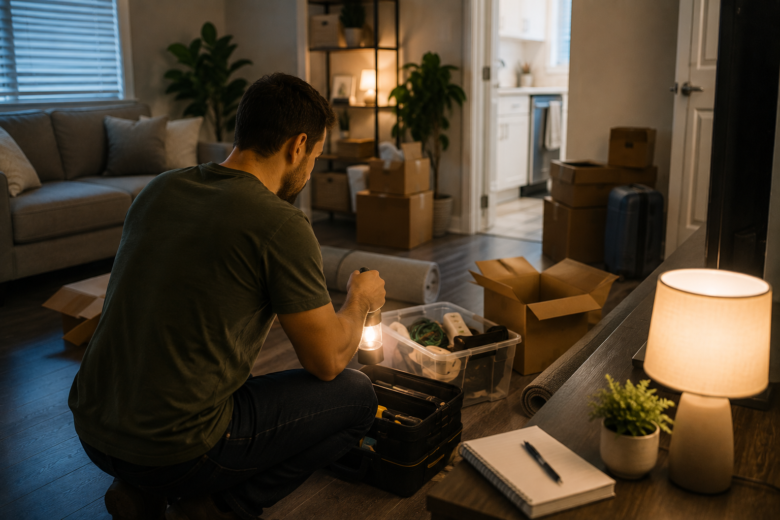
You get the keys, bring the first boxes into your apartment, and start settling into your new routine. Then you realize one detail that seemed minor during planning: your home internet won’t be installed for a few more days.
During that gap, simple tasks can suddenly become more complicated. Working on your computer, streaming TV, setting up devices, making video calls, and even accessing certain apartment services may depend on having a connection.
The good news is that spending a few days without home internet doesn’t have to disrupt your entire move.
With a little preparation, you can keep the essentials running while getting your apartment ready for internet service when installation day arrives.
Confirm Your Installation Before Moving Day
Don’t wait until you’re already inside the apartment to start arranging internet service.
As soon as your move-in date is confirmed, check which providers serve your address and what installation or activation dates are available.
Also ask whether the apartment already has a connection compatible with your chosen service.
Depending on the provider and existing setup, self-installation may be available. In other cases, a technician may need to visit.
Confirm:
- installation date and appointment window;
- equipment that will be provided;
- whether an adult must be present;
- installation fees;
- self-installation options;
- access instructions for the technician.
Keep this information somewhere you can access even without Wi-Fi.
Prepare a Temporary Internet Connection
If your cell phone plan includes mobile hotspot access, it can provide a temporary solution.
Before moving, check with your carrier:
- whether your plan includes hotspot data;
- how much data is available;
- whether speed limits apply;
- coverage at your new address.
If you can access the apartment beforehand, test your phone inside.
A phone with excellent reception outdoors may perform differently inside the building.
If two people in the household use different carriers, test both phones. One may have significantly better coverage inside the apartment.
Download What You’ll Need Ahead of Time
One of the easiest ways to conserve mobile data is to prepare your devices while you still have Wi-Fi.
Before moving, download:
- important documents;
- files needed for work or school;
- maps of the area;
- music and podcasts;
- movies or episodes available for offline viewing;
- necessary apps;
- digital manuals for furniture or equipment.
Complete important software updates in advance as well.
Your first day in the apartment isn’t the ideal time to discover that your laptop needs to download several gigabytes of updates through your phone’s hotspot.
Prioritize the Devices You Actually Need
Don’t try to set up your entire connected home before your internet service is active.
Smart TVs, voice assistants, cameras, smart bulbs, printers, and other connected devices can wait.
During the first few days, prioritize:
- your phone;
- the laptop or computer you need;
- a tablet, if you regularly use one;
- other genuinely essential devices.
The more devices connected to your hotspot, the faster you may use your available data and potentially reduce connection performance.
Set up everything else after your home Wi-Fi is working.
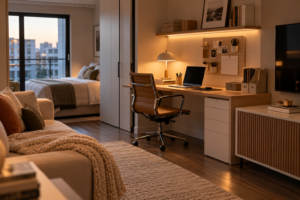
Prepare a Temporary Workspace
If you work or study from home, don’t wait until the morning of your first meeting to improvise a setup.
Choose a temporary workspace and test the mobile signal there.
Sometimes moving just a few feet within an apartment can make a noticeable difference.
Position your computer somewhere with:
- stable reception;
- a nearby outlet;
- adequate lighting;
- a comfortable work surface;
- easy access to chargers.
If you have an important meeting scheduled before your home internet installation, have a backup plan in case your hotspot doesn’t perform as expected.
Keep Your Devices Charged
Using your phone as a hotspot can drain its battery more quickly.
Keep your chargers accessible from the first day.
A power bank can also be useful during the move, especially while furniture is still being arranged and not every outlet is easy to reach.
Don’t bury important chargers inside a box labeled simply “electronics.”
Create a small bag containing:
- chargers;
- cables;
- adapters;
- a power bank;
- headphones.
Keep it with you throughout the move.
Find the Best Location for Your Modem and Router
Use the days before installation to examine your apartment’s existing setup.
Look for connection points and determine where the equipment is likely to be installed.
Also consider where your router will eventually sit.
Hiding it behind large furniture or inside enclosed spaces may affect how effectively the signal reaches different areas.
If the technician will need access to a particular wall, outlet, or connection point, don’t block that area with boxes or heavy furniture.
Keeping the path clear can make installation much easier.
Don’t Depend on Unknown Wi-Fi Networks
When mobile data is limited, an open Wi-Fi network may seem tempting.
However, avoid using unknown or unsecured networks for sensitive activities.
If you need to use a trusted public network, be especially careful when accessing personal information, financial services, or important accounts.
During those first few days, your own mobile connection generally gives you more control than a random network your device happens to detect.
Use This Checklist Before Moving
Before moving into the apartment, make sure you’ve:
- scheduled internet installation or activation;
- checked your hotspot plan and limits;
- tested mobile reception inside the apartment;
- downloaded important files;
- updated your devices;
- separated chargers and cables;
- prepared a temporary workspace;
- identified possible modem and router locations;
- kept necessary access clear for the technician.
A Few Days Without Wi-Fi Don’t Have to Put Your Life on Hold
Internet access has become such a normal part of everyday life that we often don’t realize how many things depend on it until we move into a home without Wi-Fi.
But that short gap can be much easier when you already have a plan.
Set up a temporary connection for essential tasks, download what you can ahead of time, and prepare the apartment for installation.
You don’t need every connected device working immediately.
For those first few days, focus only on what truly matters.
When your home Wi-Fi is finally active, your apartment will already be ready for it, and you can connect everything else at your own pace instead of turning a few days without internet into another source of moving-day chaos.